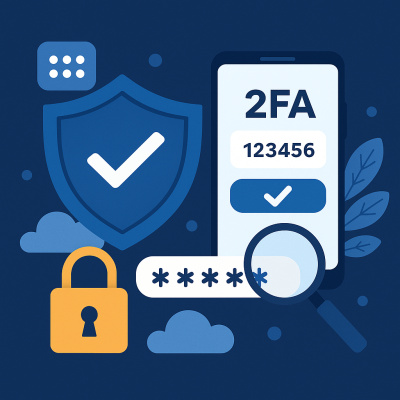
Two-Factor Authentication adds an extra layer of security beyond just a username and password. After entering your password, you’re required to verify your identity with something you have (like a mobile device or token) or are (like a fingerprint).
Common forms of 2FA include:
- SMS codes or authenticator apps (e.g., Microsoft Authenticator, Google Authenticator)
- Hardware tokens (like YubiKeys)
- Biometric scans (fingerprint or facial recognition)
Why it matters for your business:
- Prevents unauthorized access even if passwords are compromised
- Protects cloud services, business email, and financial platforms
- Reduces risk of phishing and credential stuffing attacks
🧠 What is a Password Manager?
A password manager is a secure application that stores and manages your passwords. Instead of remembering dozens of unique passwords, you remember one strong master password — the rest are generated and filled in automatically.
Popular options for business use:
- Bitwarden (open-source and affordable)
- 1Password Business
- LastPass Business
- Keeper Security
Why it matters for your business:
- Promotes the use of strong, unique passwords across all accounts
- Reduces password reuse (a major security flaw)
- Enables secure password sharing between team members
- Provides audit logs, access controls, and security reporting
🛡️ The Cost of Doing Nothing
Cybercriminals target small and medium businesses more than ever — not because you’re less important, but because you’re often less protected. Common threats include:
- Phishing attacks stealing login credentials
- Ransomware exploiting weak or reused passwords
- Business email compromise (BEC) resulting in invoice fraud
A compromised account can cost thousands of dollars — not to mention lost trust.
✅ Best Practices for Businesses
- Enforce 2FA on all cloud-based apps and email platforms (especially Microsoft 365, Google Workspace, and financial systems).
- Use a company-wide password manager and set policies to require strong passwords.
- Educate staff about phishing threats and how to spot suspicious emails.
- Audit access regularly — know who has access to what.
- Don’t rely on browsers to store passwords — they lack encryption and audit controls.
👨💼 Final Thoughts
Cybersecurity isn’t just for IT teams — it’s a business-wide responsibility. By adopting 2FA and a password manager, you’re not just ticking a compliance box — you’re protecting your clients, your staff, and your livelihood.
If you’re unsure how to get started, our team can help you assess your current security posture and implement best-in-class protection tools tailored to your business.
Need help implementing 2FA and password managers for your business?
Contact Us today for a consultation.